Integration Quickstart
Use this guide if you are integrating ezrules into another service or pipeline.
Goal
You will:
- authenticate with API v2
- call evaluator endpoint
- optionally apply labels programmatically
Prerequisites
- API service running at
http://localhost:8888 - at least one rule and outcome configured
- service credentials (email/password) for token-based endpoints
Step 1: Authenticate
/api/v2/auth/login expects OAuth2 form fields (username and password), not JSON.
curl -X POST http://localhost:8888/api/v2/auth/login \
  -H "Content-Type: application/x-www-form-urlencoded" \
  -d "username=admin@example.com&password=admin"
Save access_token from the response for subsequent calls.
Step 2: Evaluate an Event
curl -X POST http://localhost:8888/api/v2/evaluate \
  -H "Authorization: Bearer <access_token>" \
  -H "Content-Type: application/json" \
  -d '{
    "transaction_id": "txn_1001",
    "effective_at": "2026-04-23T12:00:00Z",
    "event_data": {
      "amount": 15000,
      "user_id": "user_42"
    }
  }'
Expected response fields:
evaluation_statusevaluation_idevent_version_idrule_resultsoutcome_countersoutcome_set
Step 3: Label an Event (Optional)
curl -X POST http://localhost:8888/api/v2/labels/mark-event \
  -H "Authorization: Bearer <access_token>" \
  -H "Content-Type: application/json" \
  -d '{
    "transaction_id": "txn_1001",
    "label_name": "FRAUD"
  }'
For bulk automation:
curl -X POST http://localhost:8888/api/v2/labels/upload \
  -H "Authorization: Bearer <access_token>" \
  -F "file=@labels.csv"
Step 4: Validate Analytics
curl "http://localhost:8888/api/v2/analytics/transaction-volume?aggregation=30d" \
  -H "Authorization: Bearer <access_token>"
Use aggregation values: 1h, 6h, 12h, 24h, 30d.
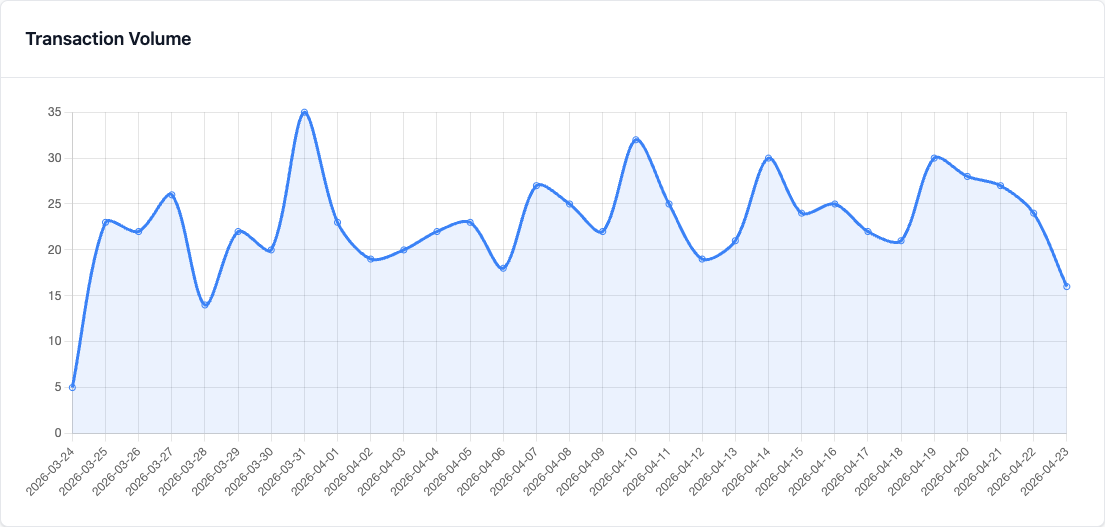
When you validate in the UI, start with Last 30 Days so the chart shows a useful trend line.
Troubleshooting
- Auth
401: credentials invalid or token expired - Auth
422: login payload sent as JSON instead of form data - Empty outcomes: rule did not trigger or returned outcome not configured
For full diagnostics, use Troubleshooting.