Rule Quality in ezrules: Precision and Recall by Outcome-Label Pair
Teams usually know which rules fire often. The harder part is knowing whether those rules are right.
In ezrules v0.19, the new Rule Quality view makes that explicit by comparing rule outcomes against ground-truth labels.
The practical problem
Rules return outcomes like HOLD, RELEASE, CANCEL. Labels are business ground truth like FRAUD, NORMAL, CHARGEBACK.
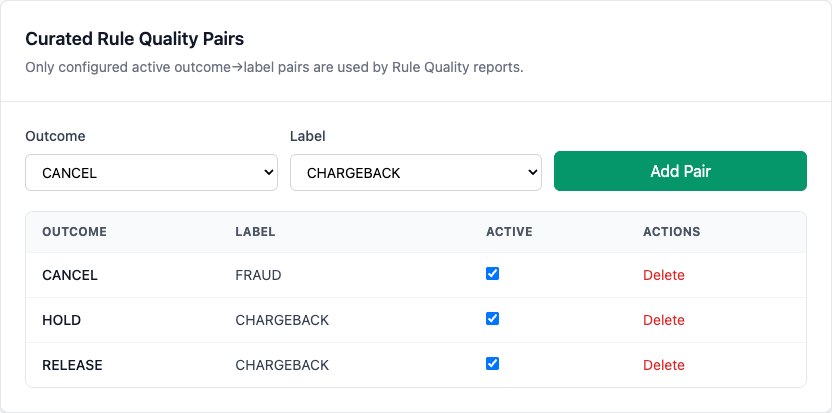
Those vocabularies are intentionally separate, so quality analysis must evaluate pairs:
HOLD -> FRAUDRELEASE -> NORMALCANCEL -> CHARGEBACK
Each pair can have different precision/recall behavior.
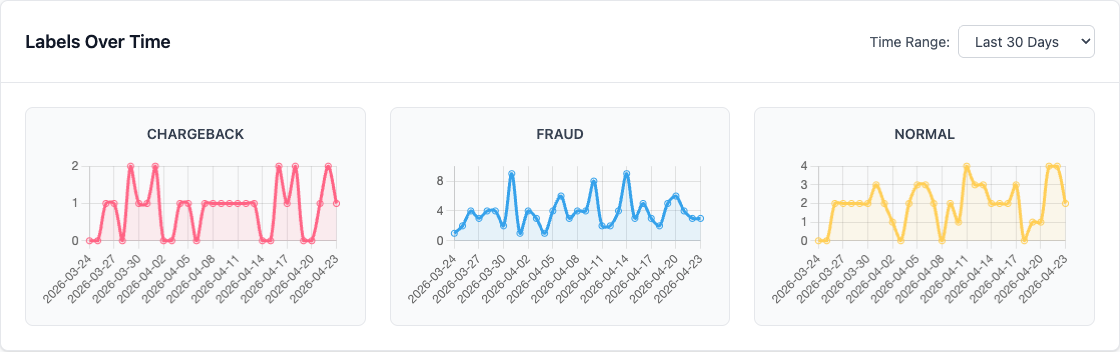
Before ranking rules, analysts can confirm that labels are flowing over a useful window in Analytics.
What the page shows
Open Rule Quality from the sidebar.
You get:
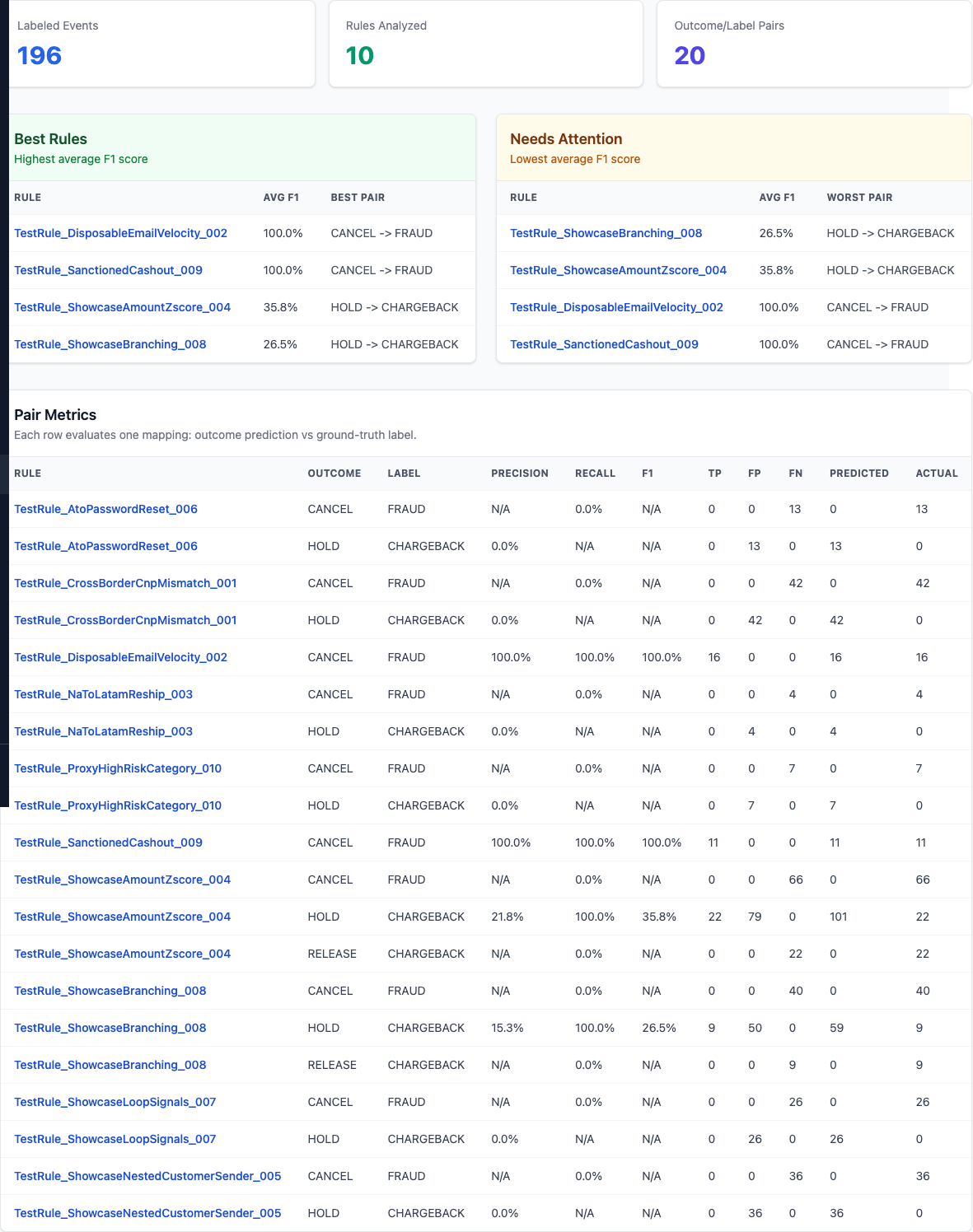
- Best Rules: highest average F1 (across valid outcome→label pairs)
- Needs Attention: lowest average F1
- Pair Metrics Table for every rule, including:
- precision
- recall
- F1
- TP / FP / FN
- predicted positives / actual positives
This helps analysts answer:
- Which rules are over-flagging (low precision)?
- Which rules are missing confirmed cases (low recall)?
- Which mapping actually represents this rule best?
Support filtering matters
Low-volume pairs can create noisy rankings. The page includes a Min support filter.
Under the hood, this maps to:
GET /api/v2/analytics/rule-quality?min_support=<n>
Raise the threshold when you want stable operational ranking; lower it for exploratory analysis.
Configured outcome-label pairs keep the report focused on mappings the team actually reviews.
Feeding data quickly: bombardment fraud labels
The bombardment script now supports in-line labeling of a small random percentage of evaluated events:
uv run python scripts/bombard_evaluator.py \
  --api-key <api_key> \
  --token <access_token> \
  --fraud-rate 0.01
That gives you continuous traffic plus a trickle of labeled events for quality monitoring, without waiting for manual CSV uploads.
Operational workflow
- Run traffic (live or bombardment).
- Label events (manual, CSV, or bombardment rate).
- Open Rule Quality and rank by F1.
- Inspect low-scoring pairs and decide whether to adjust rule logic or mapping assumptions.
For API details, see Manager API reference.