From Zero to Live Rule Evaluation in 10 Minutes with ezrules
This is the fastest path to prove value with ezrules: create one rule, send one real event, and see a decision come back from the live evaluator.
If you already finished Installation, this walkthrough is designed to take about 10 minutes.
Teams often have a familiar problem: fraud and compliance logic takes too long to validate because rule authoring, API behavior, and analyst tooling are disconnected. You can spend days debating rule ideas before seeing a real decision in a live path.
This guide focuses on a single outcome: prove the full workflow quickly. In one short run, you will create a rule in the UI, evaluate an event through /api/v2/evaluate, and confirm the decision path is working end to end. That gives you a concrete artifact for demos, internal buy-in, and faster iteration.
Minute 0-2: Start the stack
In a second terminal:
Quick checks:
- API health:
http://localhost:8888/ping - Frontend login page:
http://localhost:4200
Minute 2-5: Create your first decision rule
- Log in at
http://localhost:4200. - Open Rules and create a new rule with this logic:
- Open Outcomes and add
HOLDif it is not there yet.
Fresh installs start with an empty outcomes catalog, so creating the first outcome is part of the setup.
Minute 5-7: Send a live event to the evaluator
Authenticate first (for example via POST /api/v2/auth/login) and then call the evaluator endpoint:
curl -X POST http://localhost:8888/api/v2/evaluate \
  -H "Authorization: Bearer <access_token>" \
  -H "Content-Type: application/json" \
  -d '{
    "transaction_id": "txn_live_001",
    "effective_at": 1700000000,
    "event_data": {
      "amount": 15000,
      "user_id": "user_42"
    }
  }'
You should get JSON with:
rule_resultsoutcome_countersoutcome_set(should includeHOLD)
Minute 7-9: Validate in the UI
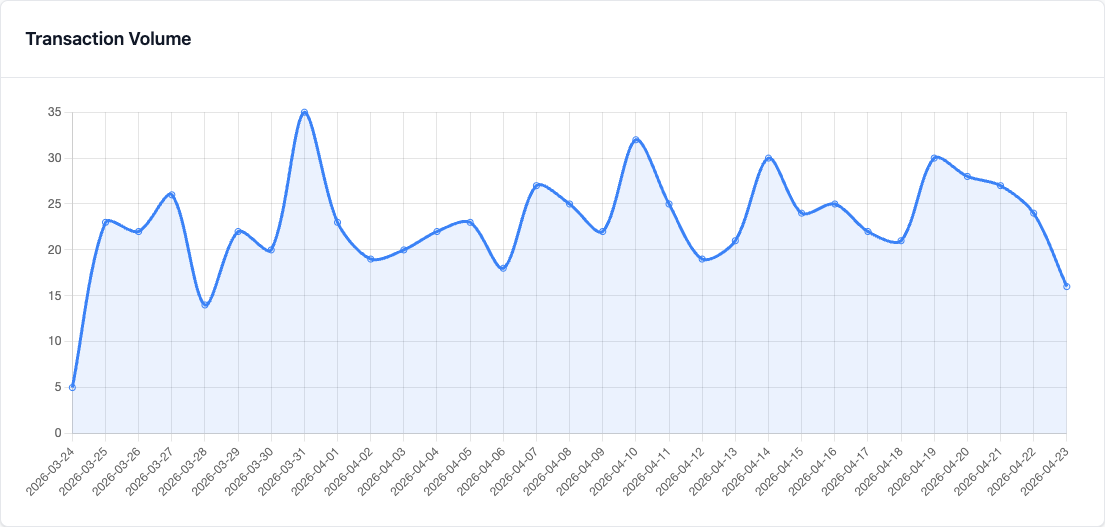
- Open Dashboard to confirm transaction activity.
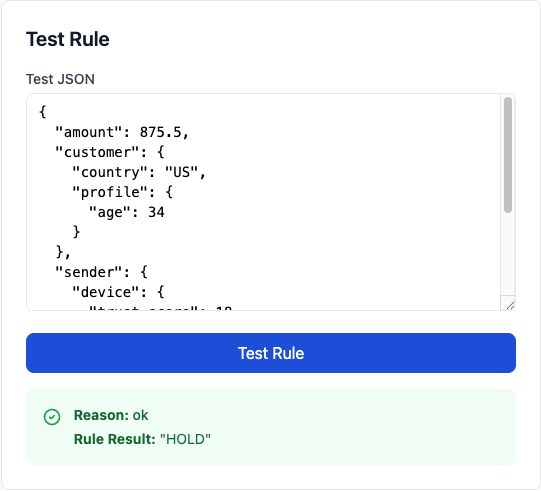
- Open the rule detail page and use Test Rule to try a low amount (for example,
500) and compare results.
Use the 30-day Dashboard window for demos so the chart shows the traffic shape clearly, then zoom into the rule's own test panel for the concrete decision result.
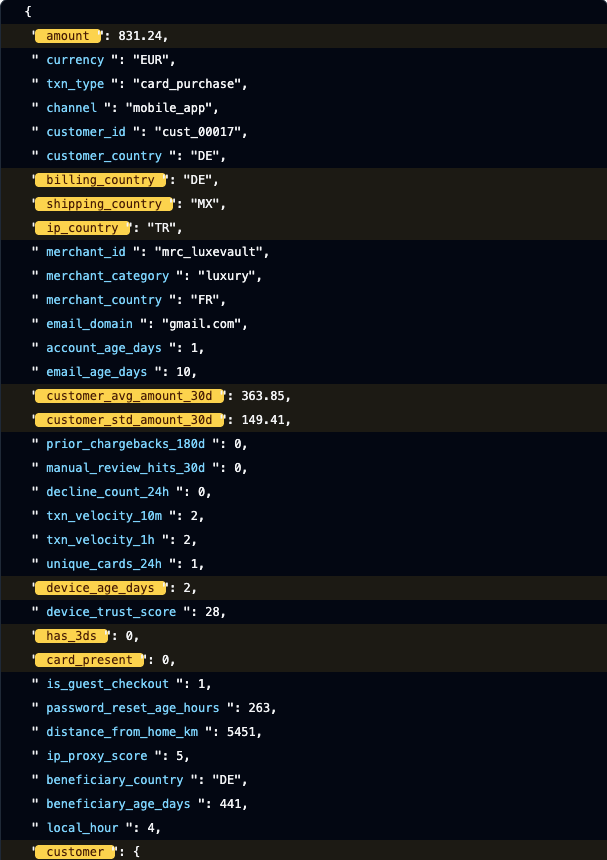
After the live call, the Tested Events view gives analysts the concrete event record, outcome, and highlighted payload fields that explain why the rule fired.
Minute 9-10: Tune and rerun
Change the threshold, save, and call /api/v2/evaluate again. This quick edit-test-evaluate loop is the core workflow teams use to iterate on fraud and compliance logic without redeploying application code.
Why this 10-minute flow matters
- You validate the full path: UI authoring -> stored rule config -> live evaluator response.
- You show both analyst and engineering workflows in one short demo.
- You have a concrete artifact to share in release notes, demos, and onboarding.